
Seven call flows for buyer enquiries, seller leads, missed calls and showing bookings — copy them straight into your agent.
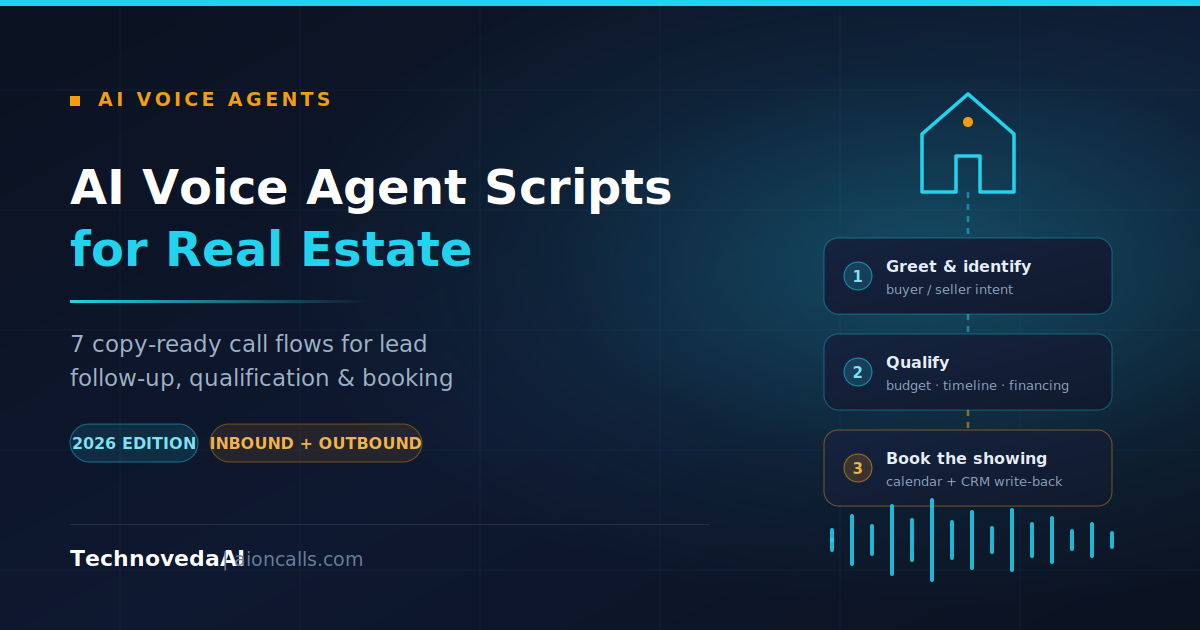
A three-step AI voice agent call flow for real estate: greet and identify intent, qualify the lead, then book the showing.
An AI voice agent script for real estate is a structured conversation flow that defines what an automated calling system says at each stage of a call — greeting and disclosure, intent detection, qualification, objection handling, booking, and handoff to a human agent. Below are seven flows you can copy directly into your platform, plus the guardrails that keep them natural and compliant.
Most real estate teams do not lose leads because their AI voice agent sounds robotic. They lose them because nobody wrote the branch for what happens when the caller says something unexpected. The script is the product. This guide gives you seven production call flows and the six-step method for writing your own.
An AI voice agent script for real estate is a branching conversation map, not a fixed telemarketing read. It defines the states a call can be in — greeting, intent detection, qualification, objection handling, booking, handoff — and the conditions that move a caller between them. The agent adapts its wording to what the caller actually says, but the states and the required outputs stay fixed.
That distinction matters. A rigid script fails the moment a caller says "I filled that in for my brother." A state-based flow simply routes to the correct branch and keeps going.
Six steps, in order. Do not skip step one.
The highest-value call you receive. The caller has already seen a property and is picking up the phone. Speed and accuracy matter more than charm.
Agent: Thanks for calling [Brokerage]. You're speaking with an automated assistant — I can answer questions about our listings and get you booked in with an agent. Which property were you calling about?
Caller: The one on [Street].
Agent: Got it. Are you looking to buy, or just gathering information at this stage?
[Branch: buying] Perfect. Roughly what timeline are you working to?
→ Then: What price range are you comfortable in?
→ Then: Have you spoken to a lender yet, or is that still to come?
→ Then: And are you currently working with another agent?Agent (close): That's everything I need. I have [Agent] free Thursday at 4, or Saturday morning at 11. Which suits you better?
Required outputs: intent, property ID, timeline, budget band, financing status, representation status, booked slot.
A form submission triggers an outbound call almost immediately. The opening line must explain why the phone is ringing, or the caller assumes it is spam.
Agent: Hi, is this [First name]? This is an automated assistant calling from [Brokerage] — you just enquired about [Property] on our site, so I wanted to catch you while it's fresh. Do you have sixty seconds?
[If no] No problem. Would later today or tomorrow morning work better for a quick call?
[If yes] Great — are you looking to buy, or to sell and buy?
One tuning note that changes results more than any wording choice: a very short delay before the call fires performs better than an instant dial. Calling within one second of form submission reads as surveillance rather than service.
Seller calls need a different qualification set. Motivation and timeline outrank budget entirely.
Agent: Thanks for requesting a valuation. I'm an automated assistant with [Brokerage] and I just need four quick details before an agent prepares your figure. What's the property address?
→ Is it a house, flat, or something else?
→ Roughly when are you hoping to have it on the market?
→ And is this a move you have to make, or one you're considering?
→ Has anyone else already valued it?Agent (close): [Agent] can walk the property Tuesday at 2 or Wednesday at 6. Which works?
The most common first deployment, because it changes nothing about your existing workflow. Calls ring to humans first; the agent picks up only after three or four rings.
Agent: Thanks for calling [Brokerage] — the team's all on calls right now, so you've got their automated assistant. I can take your details and book you straight into someone's diary. What were you calling about?
Keep this flow short. The caller expected a human, did not get one, and every extra question increases the odds they hang up. Capture intent, name, callback number and a slot. Nothing else.
The single rule: offer two concrete slots, never an open question. "When would suit you?" produces vague answers the agent cannot write to a calendar.
Agent: I've got Thursday at 4 or Saturday at 11 with [Agent]. Which of those works?
Caller: Neither, I'm free Friday.
Agent: Friday I have 12:30 or 5:15. Either of those?
Agent (confirm): Booked — Friday the [date] at 5:15 with [Agent] at [address]. I'm sending that to you by text now. If anything changes, just reply to that message.
Explicit confirmation of date, time, person and place before ending the call is what stops no-shows.
Old leads sitting in a CRM. The opening must acknowledge the gap in contact rather than pretending it isn't there.
Agent: Hi [First name] — automated assistant calling from [Brokerage]. You looked at properties with us back in [month], and I know that was a while ago. Are you still looking, or did you find somewhere?
[If found somewhere] That's great to hear. I'll take you off our follow-up list — congratulations.
[If still looking] Has anything changed on budget or area since then?
Note the branch that ends the relationship cleanly. Reactivation flows that refuse to accept "no" damage the brand more than the recovered leads are worth. Check any calling list against the relevant do-not-call registry before running this one.
Agent: Hi [First name], automated assistant from [Brokerage]. You viewed [Property] yesterday with [Agent] — how did you find it?
→ Was there anything specific that put you off, or was it close?
→ Would you like to see two or three similar properties, or is that area not working for you?
This is the flow most teams never build, and it is the cheapest source of a second booking you already have.
Confirm it plainly and move on in the same breath. For example: "I am, yes — automated assistant for [Brokerage]. You wanted the price on [Property]?" Scripts that deny being AI, or deflect the question, produce the sharpest single drop in call completion of any failure mode. Answer, then return to the caller's agenda immediately.
Three changes do most of the work:
| Check | Pass condition |
|---|---|
| Disclosure | Stated in the first sentence |
| Question length | Under 12 words each |
| Qualification depth | Five to seven questions maximum |
| Close | Exactly one call to action per branch |
| Slot offer | Two concrete times, not an open question |
| Edge cases | Wrong number, third-party form fill, already viewed, "are you a bot" |
| Handoff | Full context passes to the human agent |
| Target duration | 90 to 150 seconds to booked outcome |
Four numbers, reviewed weekly against call transcripts rather than dashboards alone: containment rate (calls resolved without escalation), booking rate per answered call, average time to booked outcome, and drop-off point distribution. The fourth is the one that tells you which line to rewrite — if 40% of callers leave at the financing question, the problem is that question, not the agent.
Every flow above assumes the agent can read a live calendar and write back to your CRM. Without those two connections the script books appointments that do not exist and captures data nobody sees.
TechnovedaAI's AI voice agent platform, AIOnCalls, is built to run these flows against live telephony with calendar and CRM write-back included. If you would rather have the conversation design done for you, our AI agent development service covers script design, integration and deployment.
Related reading: AI voice agents for customer support and workflow automation implementation.
This article covers general practice, not legal advice. Automated-calling and disclosure rules vary by jurisdiction — check the requirements that apply where you call.
Talk to TechnovedaAI about AI agents, automation, and integrations built for your business.
Get a Free AI Audit